No processing of your file contents takes place on any server. You need no data-processing agreement with gottrix to handle confidential or business documents.
Hosted in GermanyGlobal Content Delivery
Origin servers at Hetzner in Germany, delivered worldwide through a content delivery network. Your file contents are never transmitted in the process - they never leave your device.
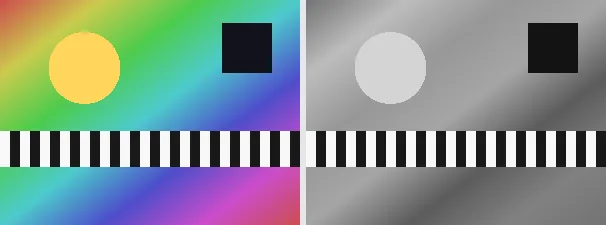
Turning a photo to grayscale removes all colour and keeps only the brightness of each pixel. This tool does it the correct, perceptual way: it weights red, green and blue by how the human eye sees them (the Rec. 601 luminance formula, roughly 30% red, 59% green, 11% blue) rather than a flat average, so skin tones, skies and foliage keep their natural relative lightness instead of looking muddy.
Grayscale is useful for black-and-white print, for a clean editorial look, for reducing file size, or to make an image recede behind coloured text. The output keeps your original format and dimensions - a PNG stays a PNG (with its transparency), a JPEG stays a JPEG - so it drops straight back into wherever the colour version came from.
Everything runs entirely locally in your browser on a canvas (no upload, even offline) - your image never leaves your device. The conversion is a per-pixel transform, so it is exact and repeatable. Animated images are flattened to a single frame; for a different look try the sepia or invert tools.
It is converted to luminance-weighted grayscale on a canvas.
Download the grayscale image (several at once as a ZIP).
Limitations: Converts an image to grayscale using the Rec. 601 luminance weighting (about 30% red, 59% green, 11% blue), per pixel. The original format and dimensions are preserved (PNG keeps transparency; JPEG flattens onto white). Animated inputs are reduced to a single frame. It is a fixed transform with no settings.
FAQ
Is my image uploaded?
No. The conversion runs entirely locally in the browser on a canvas - even offline. Your image never leaves your device.
Why not a simple average of R, G and B?
A flat average looks muddy because the eye is far more sensitive to green than to blue. Luminance weighting keeps the natural relative lightness of colours.
Does it keep my format and transparency?
Yes. A PNG stays a PNG with its transparency; a JPEG stays a JPEG (flattened onto white). Dimensions are unchanged.
Can I get the colour back?
No. Grayscale discards the colour information, so keep your original if you need the colour version.