en

Pixelate Image

Pixelate an image locally - a mosaic of blocks sized to the image, format preserved. No upload.

Block size (px, 0 = automatic)

Your files

    Running locally on your device ...

    0%

    Your files never left your device

      Is my file uploaded?

      No. Everything runs in your browser - your file never leaves your device. How this is verifiable
      No upload100% local
      Your content stays with youno third-party access
      Servers in GermanyGDPR by design
      Independently auditedTLS A+ · HTTP headers A+

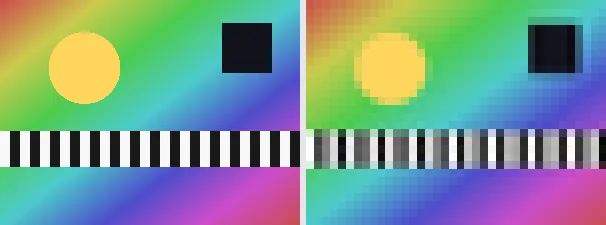
      Pixelating an image replaces fine detail with a grid of solid square blocks - the classic mosaic or 8-bit look. This tool shrinks the image down and scales it back up without smoothing, so each block takes the average-ish colour of the area it covers. The block size is chosen automatically from the image so the effect is clearly visible on small and large images alike.

      A mosaic is useful to obscure a face, a licence plate or other sensitive detail before sharing, to create a retro game-style graphic, or as a stylised background. The output keeps your original format and dimensions - a PNG stays a PNG (transparency preserved), a JPEG stays a JPEG - so it drops straight back into your layout.

      Everything runs entirely locally in your browser on a canvas (no upload, even offline) - your image never leaves your device. Honestly framed: pixelation is a visual blur, not secure redaction; for sensitive data it is hard to reverse but not guaranteed irreversible, so for true redaction remove the content entirely. Animated images are flattened to a single frame.

      Specifications

      Specifications
      Input formatsJPG, JPEG, PNG, WEBP
      Output formatJPG
      Batch processingYes
      ProcessingLocally in your browser (JavaScript)
      File uploadNone

      In 3 steps

      1. Drop or tap your image (PNG, JPEG or WebP).
      2. It is reduced to blocks and scaled back up without smoothing on a canvas.
      3. Download the pixelated image (several at once as a ZIP).

      Limitations: Pixelates an image into a mosaic of solid blocks whose size is derived automatically from the image (about a fortieth of the shorter side). The original format and dimensions are preserved (PNG keeps transparency; JPEG flattens onto white). Animated inputs are reduced to a single frame. It is a visual effect, not secure redaction.

      FAQ

      Is my image uploaded?

      No. The effect runs entirely locally in the browser on a canvas - even offline. Your image never leaves your device.

      Is pixelation secure redaction?

      No. It is a visual blur and is hard but not guaranteed impossible to reverse. To truly remove sensitive content, delete it from the image rather than pixelating it.

      How big are the blocks?

      The block size is chosen automatically from the image (about a fortieth of the shorter side), so the mosaic is clearly visible on any size.

      Does it keep my format and size?

      Yes. A PNG stays a PNG (with transparency), a JPEG stays a JPEG, and the dimensions are unchanged.

      Related tools