en

Brightness and Contrast

Adjust an image brightness and contrast locally - with sliders, format preserved. No upload.

Brightness
Contrast

Your files

    Running locally on your device ...

    0%

    Your files never left your device

      Is my file uploaded?

      No. Everything runs in your browser - your file never leaves your device. How this is verifiable
      No upload100% local
      Your content stays with youno third-party access
      Servers in GermanyGDPR by design
      Independently auditedTLS A+ · HTTP headers A+

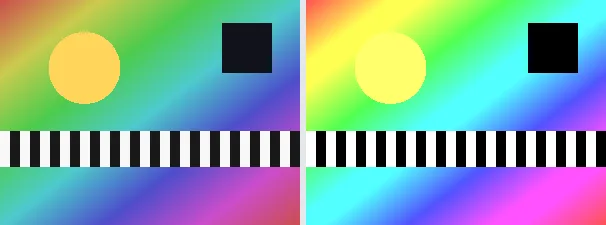
      Brightness shifts every tone evenly lighter or darker; contrast widens or narrows the gap between light and dark areas around the midpoint. This tool applies both sliders in one step, so an image shot too flat or too dark can be brought to a balanced look quickly.

      Set brightness and contrast each between -100 and +100 (0 leaves that value unchanged). Positive brightness lightens, negative darkens; positive contrast makes the image punchier, negative flatter. The output keeps your original format and dimensions - a PNG stays a PNG (with transparency), a JPEG stays a JPEG.

      Everything runs entirely locally in your browser on a canvas (no upload, even offline) - your image never leaves your device. Very strong values can lose detail in the brightest and darkest areas (clipping); for a natural result, moderate adjustments usually suffice. Animated images are flattened to a single frame.

      Specifications

      Specifications
      Input formatsJPG, JPEG, PNG, WEBP
      Output formatJPG
      Batch processingYes
      ProcessingLocally in your browser (JavaScript)
      File uploadNone

      In 3 steps

      1. Drop or tap your image (PNG, JPEG or WebP).
      2. Set brightness and contrast with the sliders.
      3. Download the adjusted image (several at once as a ZIP).

      Limitations: Adjusts brightness (additive shift) and contrast (spread around the midpoint), each in the range -100 to +100; 0/0 leaves the image unchanged. The original format and dimensions are preserved (PNG keeps transparency; JPEG flattens onto white). Very strong values can clip highlights or shadows. Animated inputs are reduced to a single frame.

      FAQ

      Is my image uploaded?

      No. The adjustment runs entirely locally in the browser on a canvas - even offline. Your image never leaves your device.

      What does a value of 0 do?

      With a slider at 0, that aspect is left unchanged. With brightness 0 and contrast 0 the result is identical to the input (apart from JPEG re-encoding).

      Why do the brightest areas sometimes look flat?

      Very high brightness or contrast can clip highlights to pure white and shadows to pure black, losing detail there. More moderate values avoid this.

      Does it keep my format and size?

      Yes. A PNG stays a PNG (with transparency), a JPEG stays a JPEG, and the dimensions are unchanged.

      Related tools